 Privatize by The Okay Company
Features
Everything it does.
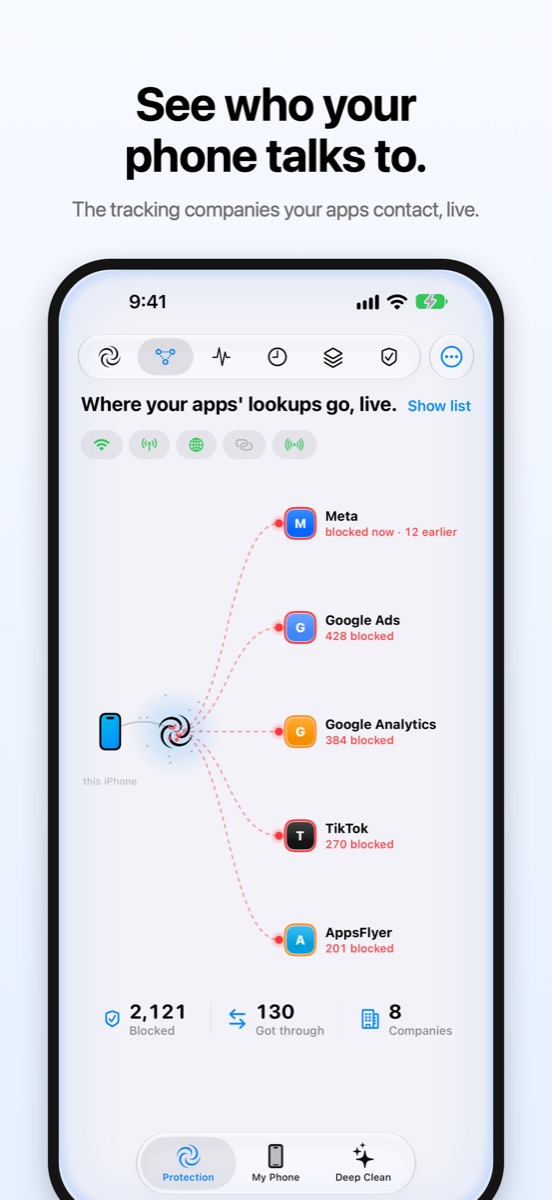
See who your phone talks to, block the trackers, and close what a blocker can't reach.
Take a look
Made for iPhone.
Feels like iPhone.
Native, fast and familiar, down to the last swipe. Swipe through the app.
Real screens from Privatize 1.0, filled with sample data.
Privatize
Turn it on once.
Watch it work.
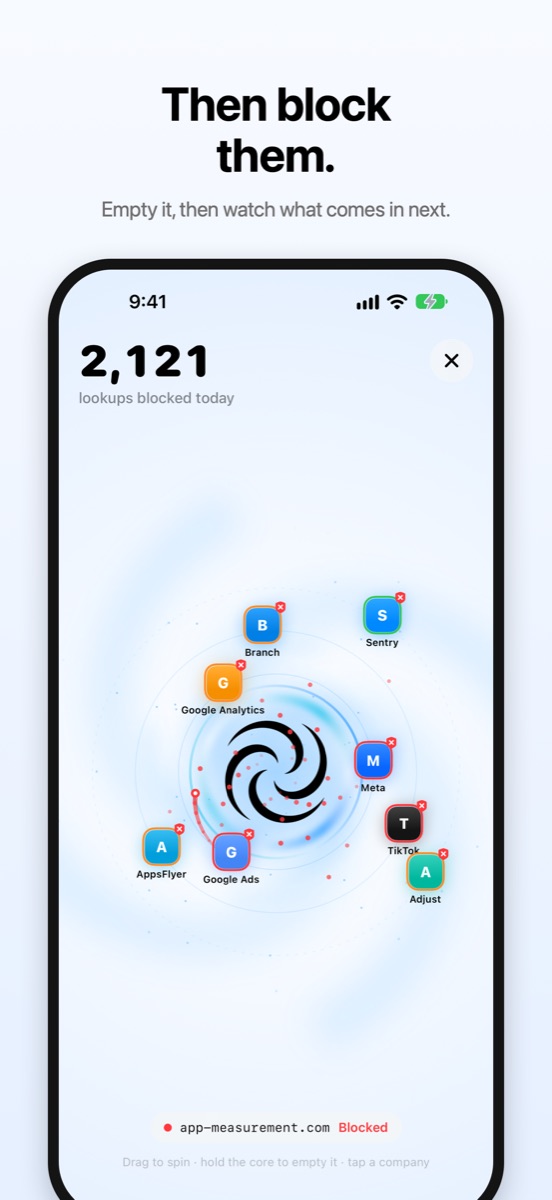
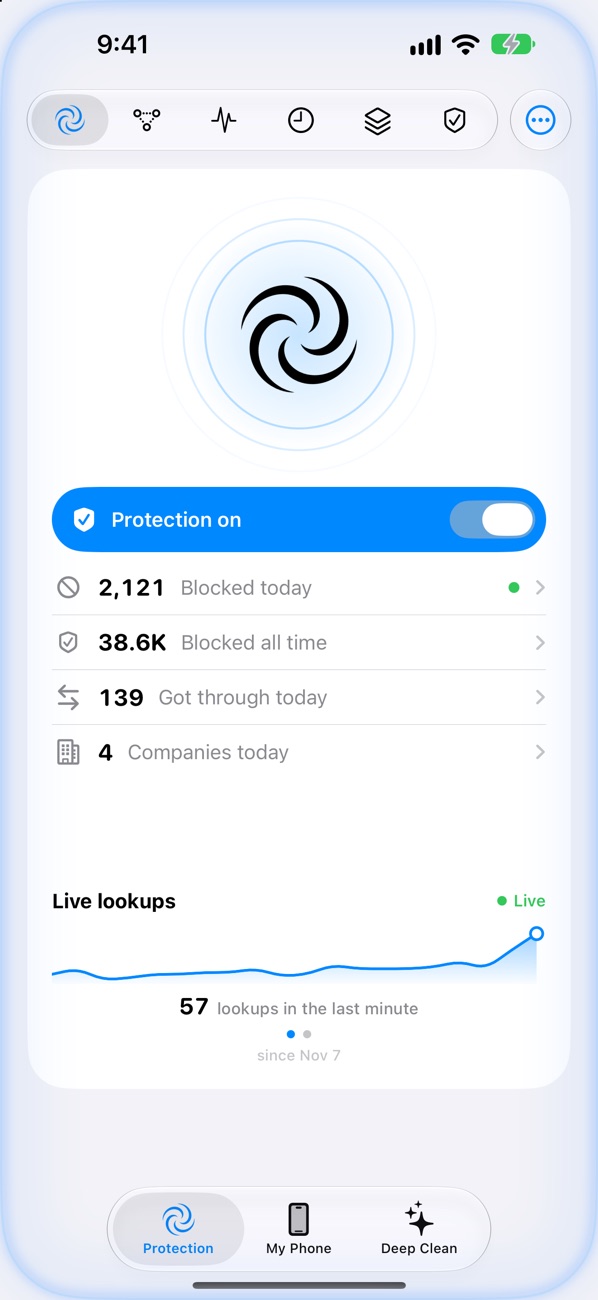
Privatize blocks known advertising, analytics and tracking networks across your apps and websites, and counts every one it pulls out, live.
lookups blocked today
Blocking · illustrative
Know who they are
Every company, named.
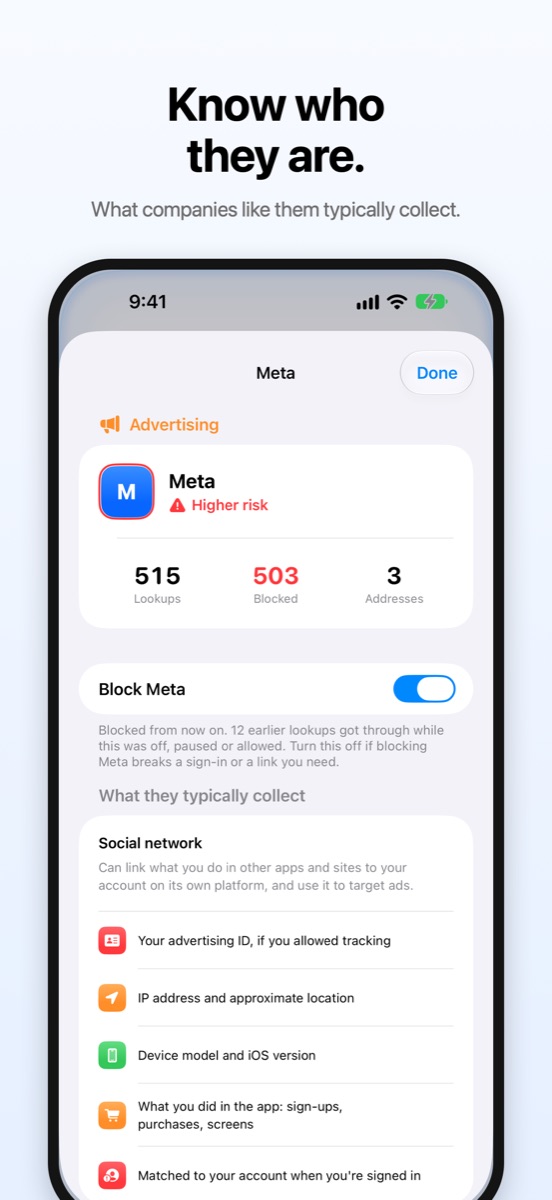
Tap any company to see what it does, what services like it typically collect, and every address your phone tried to reach, how often and when.
Trackers
Who tried, grouped.
Advertising, analytics and Apple telemetry, with a live feed of every lookup as it happens.
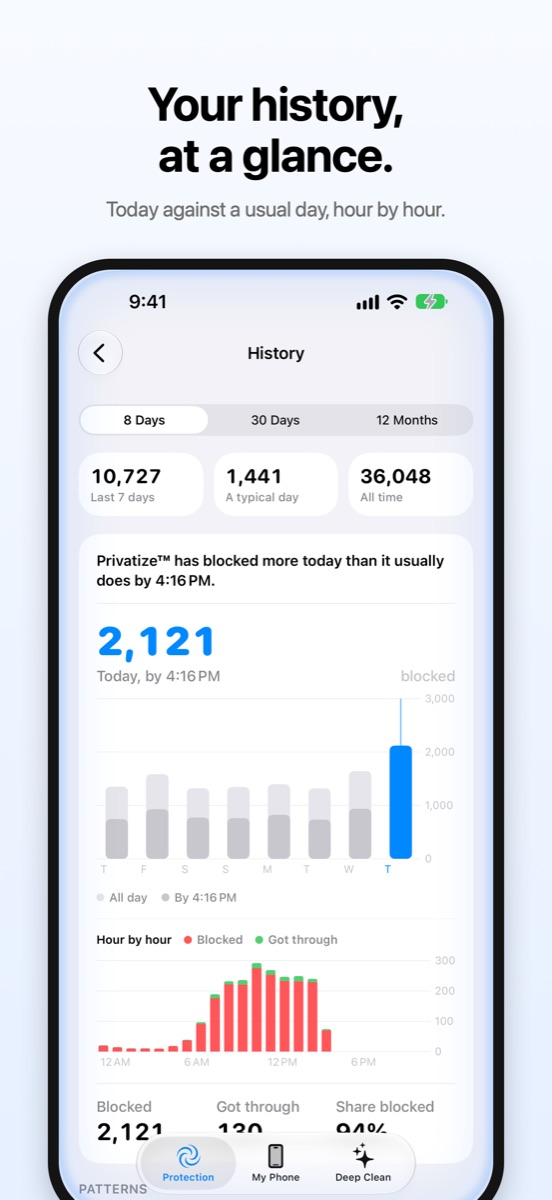
History
Days, a month, a year.
Charts of what was blocked and what got through, with your busiest companies, hours and weekdays.
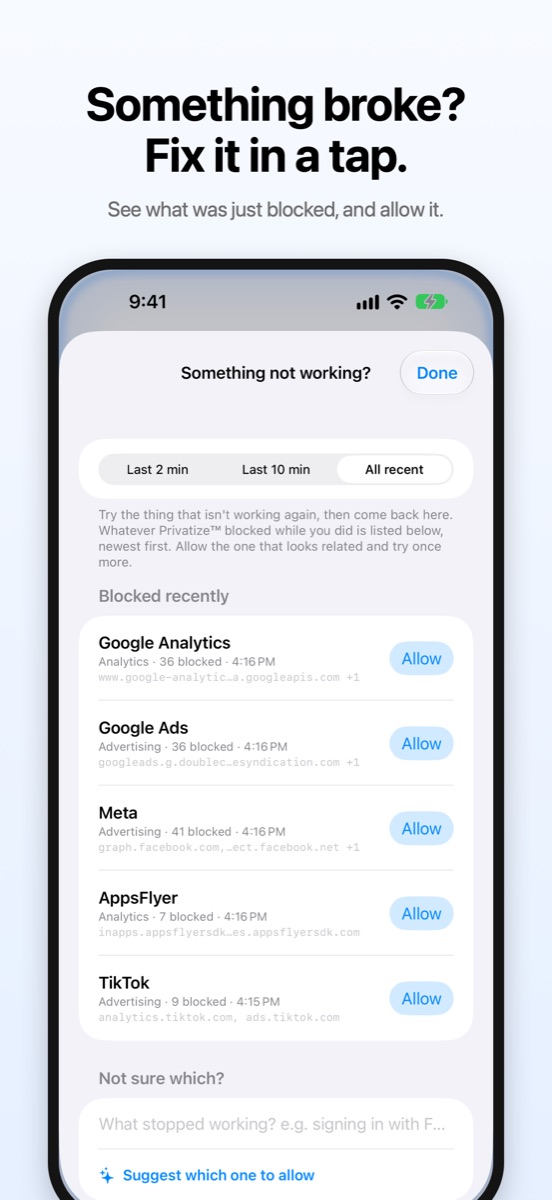
Blocker
You decide.
If an app breaks, allow its company with one tap. Block any site yourself, or Apple's own telemetry too.
Sites
Every site, and who came with it.
Open Live, then Sites. Each site and app your phone reached gets a card, with the trackers looked up in the seconds after it hanging off a line: dashed red where Privatize blocked them, green where they got through.
- A list for the weekGrouped by day and kept only on your iPhone, for up to 7 days. Clear it any time. Ghost mode adds nothing to it.
- Apps get the same treeOpen your App Privacy Report in Privatize and each app shows the tracking companies it contacted, plus the websites opened in it.
- Checked against iOS's own recordWhere your App Privacy Report covers a site, a seal marks the trackers iOS itself recorded for it.
- Site not working?One tap lets the addresses blocked on that visit through for 10 minutes, then blocks them again. While it runs they get through in every app, not just that site. Keep them allowed if it helped.
- Most tracked this weekSites opens with the five sites that came with the most tracking companies over the last 7 days, and This week names the top one. It stays in the app, never in a notification.
- Share a site's treeTurn a site's card into a picture to post or send: its trackers and what Privatize did with each, like "Privatize blocked 3 of 4". It names the site and the companies, not when you visited.
A lookup doesn't say which page or app made it, so Privatize matches them by timing. Another app busy at the same moment can show up too.
- GGoogle AdsBlocked
- MMetaBlocked
- SSentryGot through
- 9 other lookups, not trackers
Illustrative
What they're after
See what they typically collect.
Tap a company in the swirl and Privatize shows what services like it typically collect, based on how these companies describe their own tools.
Social networks
Meta, TikTok, Snap
- Your advertising ID, if you allowed tracking
- IP address and approximate location
- What you did in the app: sign-ups, purchases, screens
- Matched to your account when you're signed in
Ad networks
Google Ads, The Trade Desk
- Your advertising ID, if you allowed tracking
- Which app or site you're using
- The ads you saw and tapped
- Shared with the bidders in each ad auction
App analytics
Google Analytics, Mixpanel
- Screens you view and buttons you tap
- How long and how often you use the app
- Device model and iOS version
- An ID that follows you across sessions
These describe the kind of service, not what a particular app sent. Privatize sees only the names your phone looks up, never the data, and a blocked lookup means the app never connected. Read the plain-English guide.
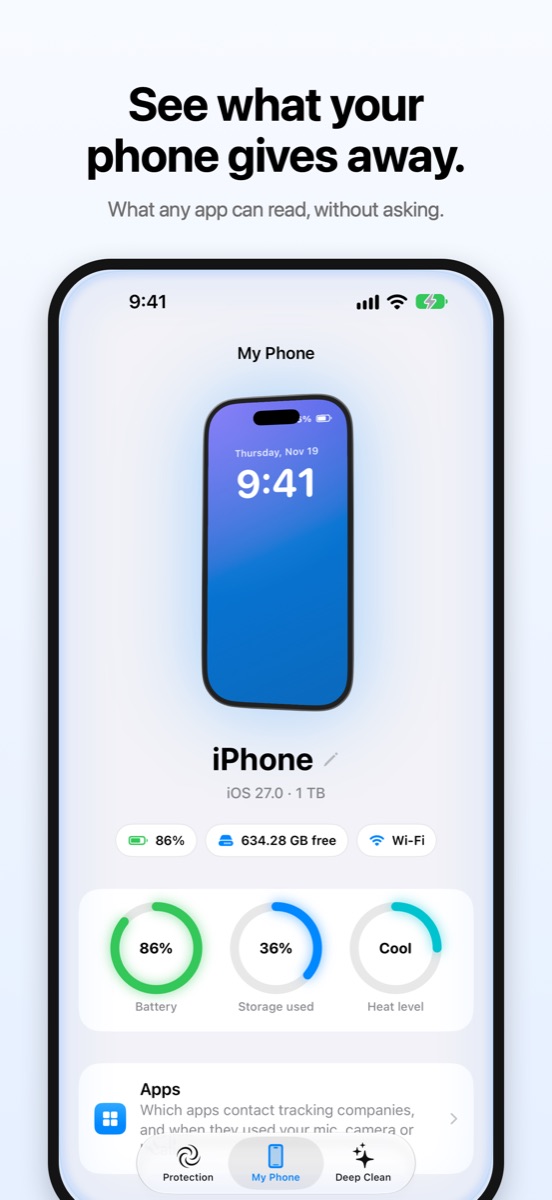
My Phone
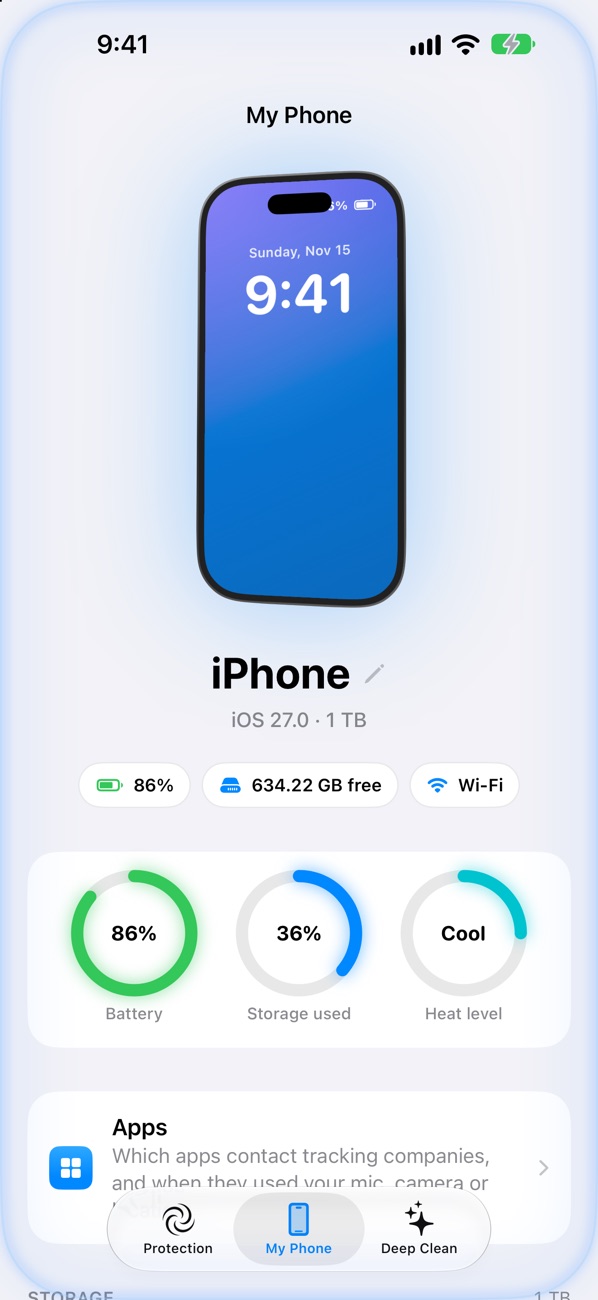
See what your phone gives away.
Your iPhone as any app sees it, at a glance.
- Storage, battery and heat levelRings you can read in a second.
- What any app can read without askingModel, iOS version, language, time zone and more.
- Photos and contacts, only if you chooseCounted on your phone, with a map of where your photos say you've been.
Honest limits
What it can't block.
Privatize blocks a tracker by refusing to look up its name, so the app never connects. That works across your apps and websites, with a few gaps worth knowing.
Ads from the app itself
In-feed ads in apps like YouTube and Instagram come from the same servers as the videos and posts. No blocker can remove them without breaking the app.
Another VPN
iPhone runs one VPN at a time. Turn another one on and Privatize stops blocking until you switch back. It can notify you when that happens.
Apps that go their own way
An app that uses a lookup service Privatize doesn't know, or reaches a tracker by its IP address, goes around it. Privatize stops the well-known lookup services from Google, Cloudflare, Quad9 and others.
Safari with iCloud Private Relay
Private Relay sends Safari's lookups around Privatize. Turn on Send Safari through it in Privatize Settings to close that gap; Private Relay stays off while Privatize protects you.
Known trackers that still got through are listed in the app under Got through. Privatize isn't antivirus: its optional list of malware and scam sites catches only known ones. More in the FAQ.
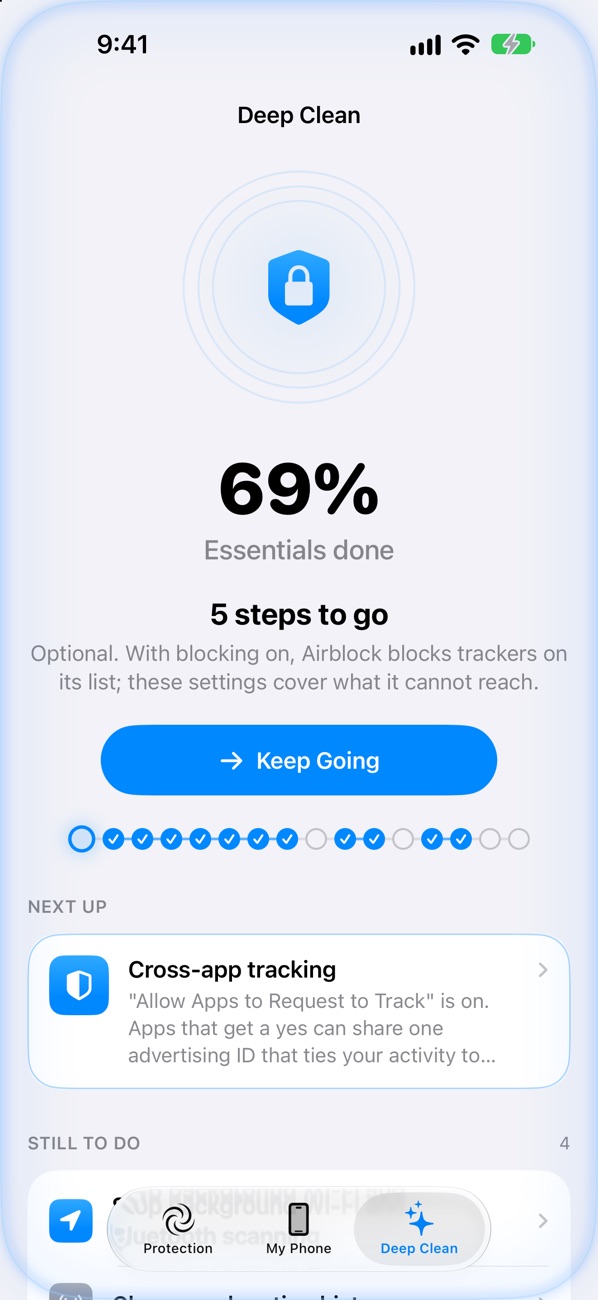
Deep Clean
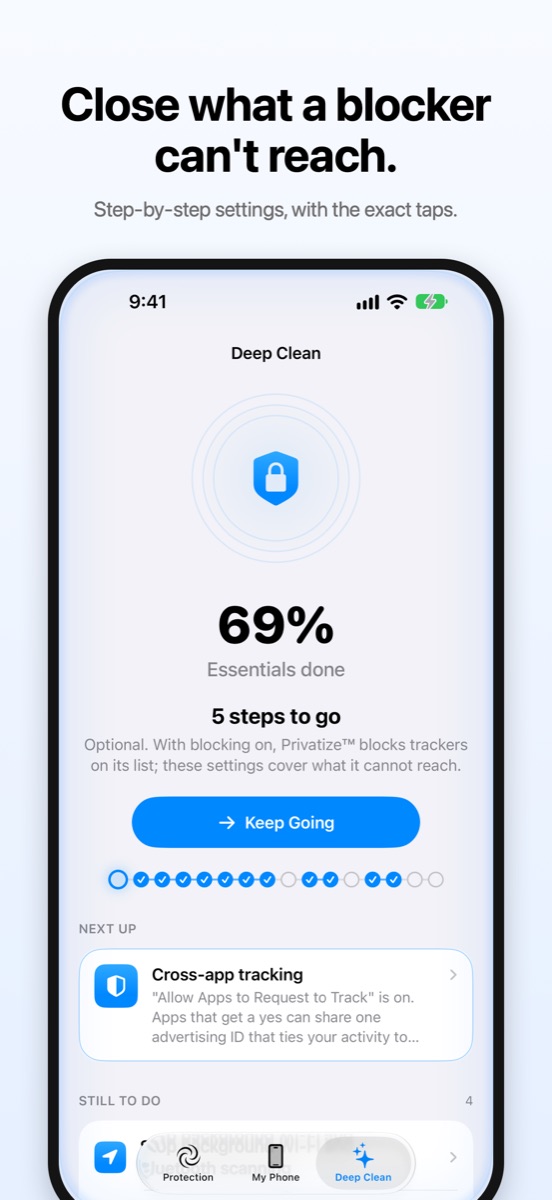
Close what a blocker can't reach.
Some sharing happens inside iOS and your accounts, where no app is allowed to switch it off. Deep Clean gives you the exact taps for each one, sorted by what matters most.
- More than 60 guided stepsiPhone, Apple, Google and Meta ad settings.
- Get off data broker listsOpt-out steps for people-search sites like Spokeo and Whitepages, with a button straight to each form. How it works
- Checks itself where it canCross-app tracking and Location Services tick off when you come back.
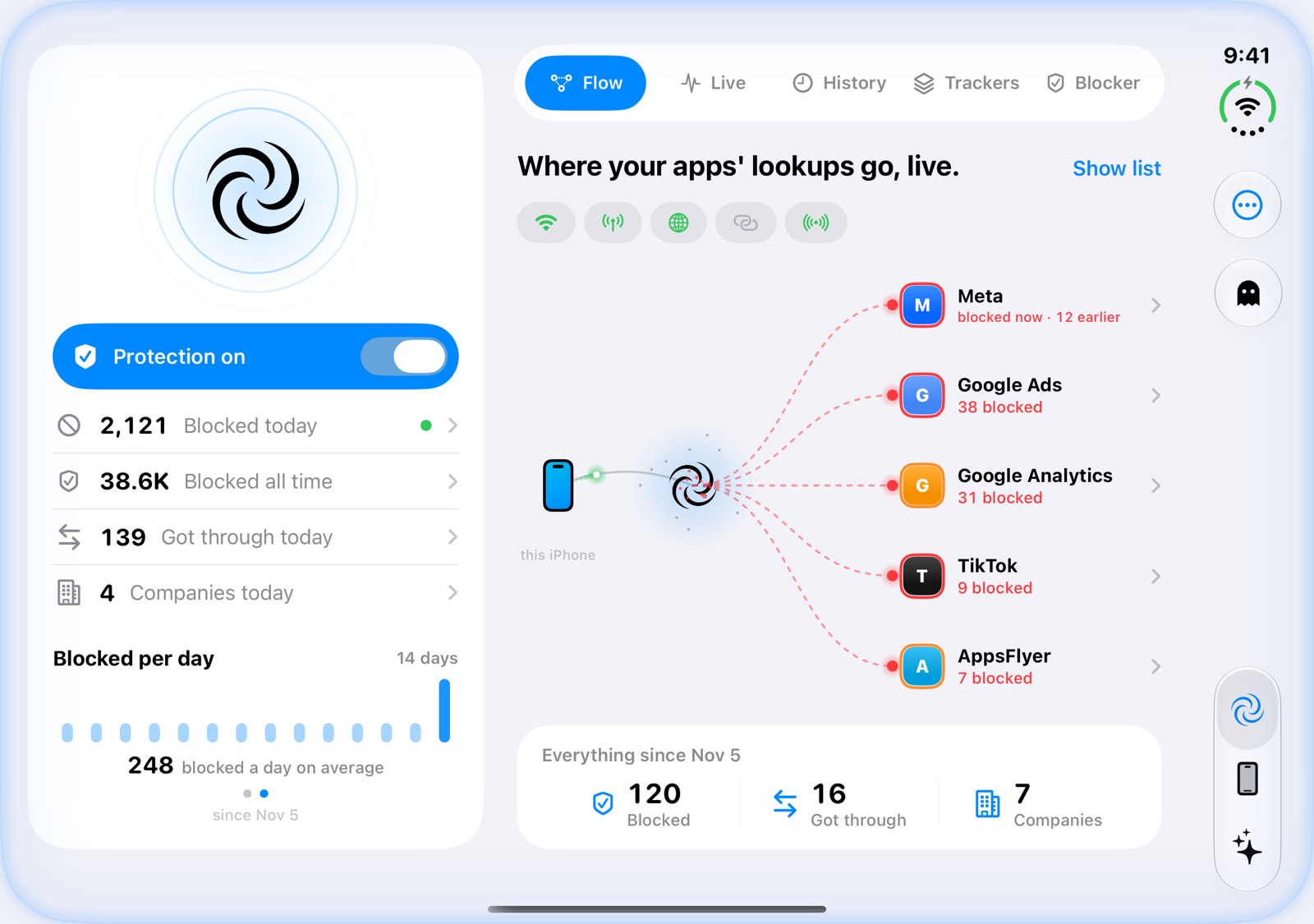
iPhone Duo
Open it up.
On the wide screen Privatize stays on the left, and your findings sit on the right: swipe between Flow, Live, History, Trackers and Blocker. Details open as pop-ups.
Milestones
Every blocked lookup
counts.
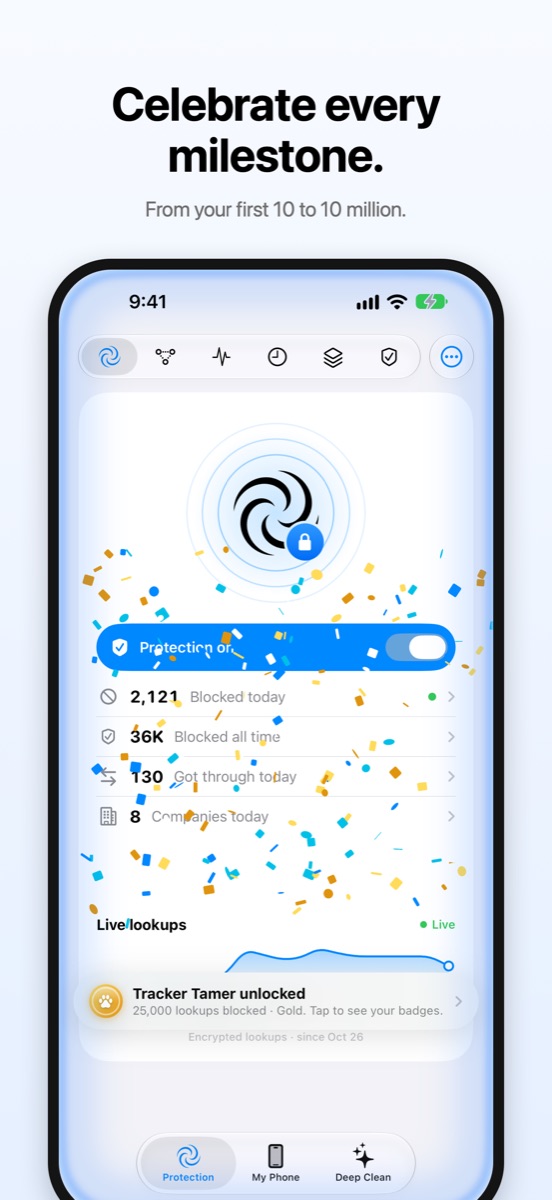
Eighteen badges from your first 10 to 10 million. Climb from Bronze to Legend, with confetti all the way.
10,000,000lookups blocked: the Legend badge
- BronzeFirst Catch · 10
- SilverThousand Club · 1,000
- GoldTen Grand · 10,000
- PlatinumHundred K · 100,000
- DiamondMillionaire · 1,000,000
- LegendLegend · 10,000,000
The little things
Made to feel alive.

Launch
It opens with a breath.
Every launch, the swirl spins up, pulls in the dust and flies into its place in the app.
Milestones
Tap the count.
Your milestones pop up, with confetti for your first 10 blocked lookups, then 100, 1,000 and beyond.
Widgets
Today's count, everywhere.
Home Screen and Lock Screen widgets show how many lookups were blocked today. If you turn it on, the Home Screen widget also shows the last site you visited and how many of its trackers were blocked. A pause, Ghost mode and "Site not working?" count down in the Dynamic Island and on the Lock Screen, with a button to end them early. You can turn the Dynamic Island off in Settings.
Feedback
Tell us. We're listening.
Send feedback right from the app. It lands with the team as a report we read, with help from AI (Anthropic's Claude), and it helps decide what we fix and build next. Nothing is sent until you tap Send: just your note, plus app details or an email if you include them.